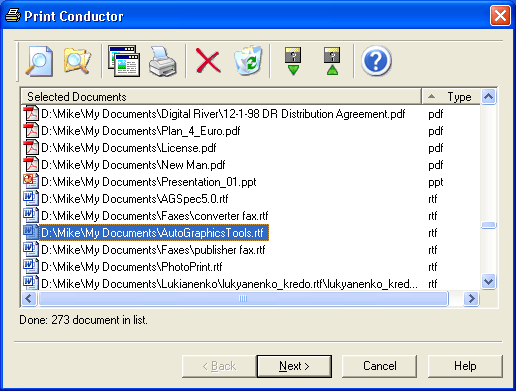
Version 12 (May 29, 2026)
- New processing component for PDF, XPS, and HTML files (AsposePDF). It can help resolve issues such as incorrect character rendering, missing fonts or graphics, or incomplete output. If some files are not rendered or printed correctly, you can activate it on the Print Engine tab
- Setting Copies to As in printer is now available on the Common Settings window
- New options to install the program in silent mode via command line and apply previously saved settings (.INI file)
- Ability to define paper source for placeholders (Paper source for placeholders) – useful if you're using the Attachments of unknown types action or Print placeholder instead of attachment by file mask option
- Strict local processing mode: The new Process files locally only option (Settings → Advanced → Application → Privacy & Security) can fully restrict external processing of any files for organizations with strict data protection policies
- New Pre-print operations: Grayscale, Insert blank pages and Insert pages from another file
- Multiple pages per sheet mode: Ability to choose page printing order when using Horizontal, Vertical, Horizontal (Reversed), Vertical (Reversed)
- Ability to insert cover pages between bookmark-based PDF sections
- Ability to print a cover between specified print jobs number if Max copies per print job is set
- Ability to start each new document on front side of paper when using Single Print Job mode plus Duplex mode (Print document on front side of paper in duplex mode)
- Ability to adjust page alignment for selected pages
- Ability to enable/disable configured watermarks via checkboxes in the Watermarks list
- Setting watermarks is now available for selected files only, via individual Item settings
- New macro for Single Print Job mode: Last loaded file-list filename
- You can now set the "As in printer" option for each individual item in your imported Excel list. Learn more about importing lists from Excel
- You can now apply a previously saved printer profile to specific items by specifying the file path (e.g., C:\Printer profiles\LaserJet_1.pcprn-profile) in the #prn_profile column
- Improved Events log window design (program's icon → View log…)
- Fixed slow scrolling in Events log window
- Improved files' drag-dropping behavior
- Added file name in the Item settings window title
- Added navigation via Back / Next buttons or keyboard arrows for the Item settings window to easily browse through List items
- Improved behavior or Print service pages only setting (previously, it required having Print cover page set to Yes)
- Improved "Some files cannot be added" dialog window
- New supported formats: Apple Pages Document (.PAGES), DjVu Document Format (.DJVU, .DJV)
- Formats that previously required installed additional software, now can be processed via internal engine only: Computer Graphics Metafile Format (.CGM), CorelDRAW Drawing Format (.CDR), PostScript (.PS)
- Improved booklet printing stability when the ABCPDF engine is used
- Fixed issues with Booklet printing mode when Print every N page(s) as a new print job is enabled
- Fixed issue with printing messages with identical subjects from Outlook PST. To print such files, the Unique content in file list option must be disabled
- Fixed a header rendering issue in MSG files containing Microsoft Exchange X.500/LegacyExchangeDN "FROM" addresses
- Fixed printing covers and placeholders for MSG attachments
- Improved HTML encoding detection
- Fixed issue with HTML printing
- Updated EO.PDF component for better HTML processing
- Fixed some issues with TXT file printing
- Added support for eDrawings 2026 API for CAD drawings processing
- Fixed detection whether Mathcad Prime is installed in the system
- Added duplex mode support when using Acrobat engine
- Improved color / black-and-white pages detection
- Added date of printing ("Date printed" field) to the Report page
- Fixed issue when different Printer profiles are applied to different items in the List
- Improved print job naming flexibility
- Fixed logging issue for Sequential printing (Round robin)
- Fixed printing covers when sorting files by folder + filename
- Fixed issue with Current List number {SetNo} macro in Text watermark (when Single Print Job mode is enabled)
- Fixed UI inconsistencies in Multiple pages per sheet mode
- Fixed placeholder and cover handling edge cases
- Various stability and performance improvements
- Knowledge base: "How to Insert Additional Pages Between Bookmark-Based PDF Sections", "How to Keep Your Settings When Re-Installing Print Conductor", "How to Set Up Printer Load Balancing", "How to Print Files on Different Printers", and more
Version 11 (May 29, 2025)
- New supported formats: NUMBERS, MD, XCF
- New Printer load balancing functionality for distributed printing: Round robin and Least loaded printer
- Ability to print on different printers in one session by assigning Printer Profiles to specific documents or groups in the List of Documents
- New Pre-print Operations: Rotate, Resize
- Printing cover pages instead of specified file types with Print service pages only setting
- Print estimation report: Option to exclude service pages from total page count (Include service pages to the estimation report: No)
- Print estimation report: Option to include embedded files in total page count (Include embedded files in the page count: Yes)
- New Downscale shapes to page size option to shrink oversized embedded images in Outlook EML, MSG, and Word files
- New macros for Text watermark: Current List number, Total number of Lists (now works with Single Print Job mode)
- Convert Text watermark to upper/lowercase letters using new macros: {SrcFileName(Upper)} and {SrcFileName(Lower)}
- Printing pages based on their original color with adjustable color detection threshold (Color mode: As in document)
- Replacing selected attachment types with placeholders (Print placeholder instead of attachment file mask)
- Saving List of Documents in CSV format
- Adjusting crop marks’ position by changing Crop marks offset
- Redesigned Advanced Settings interface featuring improved search speed and a tree-based structure for easier navigation
- Enhanced Preview pane with new options: page count, page size dimensions, and attachments list
- New Watermark pane offering instant preview of all watermark settings applied in the main window
- Displaying each file’s attachments via the new Attachments column in the List of Documents (Show/hide columns → Attachments)
- Added support for eDrawings 2025 API in CAD drawing processing
- Resolved some issues with Microsoft Outlook PST file handling
- Added capability to print large-format raster images (TIFF, JPG, PNG, etc.) using GPHelper print engine
- Knowledge base: new how-to articles "How to Set Up Printer Load Balancing", "How to Print Files on Different Printers"
- Fixed issue with printing DXF files lacking paper size information
- Fixed issues with Print Conductor installation script and modules
- Fixed handling of Outlook emails with very long subjects during drag-and-drop
- XML files attached to PDFs are now ignored by default, simplifying tasks like xRechnung invoice printing (Print Conductor Settings → Advanced → Exclude attachments by file mask: *.xml)
- Fixed issue with VSDX file printing
- Fixed issue with CAD drawing processing via Inventor View
- Fixed issue with loading document lists containing URLs
- Fixed issue with restoring user-specified Printer Properties
- Fixed issue with watermark macros rendering in Multiple pages per sheet mode
- Fixed compatibility with legacy FLIST file format
- Barcode watermark → QR Code: Fixed rendering of Cyrillic, Chinese, and other non-Latin characters
- Fixed watermark printing issues on text file pages
- Fixed issues with custom page size and margin settings in TXT and HTML files
- Added digital signatures to some DLL files to prevent false antivirus alerts
- Renamed "Date" column header to "Date modified" in List of Documents for clarity
- Fixed PDF processing issues with ABCPDF print engine when Password list contains passwords
- Fixed P7M file processing issue
Version 10 (August 22, 2024)
- Redesigned Common Settings tab with new interactive Print preview and Summary
- Redesigned interface for Multiple pages per sheet mode
- Newly added History pane indicating all recent events
- Ability to quickly find any file in the List of Documents
- Ability to add one or several Custom text and Custom info columns to the List of Documents
- Updated version of the CADLib component for printing CAD drawings (DWG, DXF files)
- Updated version of the component for processing Microsoft Outlook PST files
- Updated versions of components for processing Microsoft Word DOC, DOCX and Excel XLS, XLSX, and CSV files
- New Booklet printing mode
- New set of Pre-print operations: Insert empty pages, Auto crop, Crop margins, Crop rectangle
- Ability to easily batch print Apple HEIC (HEIF) images by installing the free-to-use ImageMagick application (as alternative to paid codecs from the Microsoft Store)
- Multiple pages per sheet mode: ability to print several documents on the same sheet of paper
- Multiple pages per sheet mode: ability to set the number of pages when importing a List of Documents from an Excel spreadsheet (collage_xy column)
- Single print job mode: ability to use the name of last loaded File List name as Single print job name
- Ability to sort files in the List of Documents by multiple columns at once
- Ability to customize the list of settings for Item settings window
- Ability to more accurately display page count for the Pages column in the List of Documents and for print reports (Show exact number of pages)
- File attachments can now be taken into account during page counting (Include embedded files in the page count)
- Ability to keep printer-specific settings intact when selecting another device of the same model (paper source, paper size, duplex mode)
- Ability to ignore printable area margins applied by default by some printers and use the dimensions of the paper sheet only
- Print estimation report: ability to save the report not only as PDF, but also as CSV or XLSX
- For CAD drawings (DWG, DXF): ability to print "Model view" tab only, process all tabs, or process all tabs except for the "Model view" tab
- Newly added Text watermark macros: Consecutive page number, Total pages, Full date, Full time, Source file page number (text format), and more
- New options to restore Print Conductor window on previous position on monitor display at program startup (works if there are several displays as well)
- Added a tooltip for displaying a long printer name that doesn't fit the selection box
- Added the ability to print a folder cover page for empty folders
- Fixed an issue with Adobe Acrobat API usage for PDF files printing
- Fixed an issue with Autodesk Inventor API usage to print DWG, DXF, IAM, IDW, IPN and IPT files
- Fixed an issue with saving the List of Documents during quitting Print Conductor
- Fixed issue with Windows Files Explorer shell extension when processing a folder with documents
- Fixed an issue with applying exclude mask
- Fixed an issue with Settings panel behavior
- Fixed an issue with Print Conductor deployment
- Windows 11, Windows Server 2022 and 2025 are now detected correctly
- Fixed an issue with printing in Multiple pages per sheet mode
- Fixed an issue with drag-drop functionality when dragging an attached file from a message opened in Microsoft Outlook application
- Improved interface localization (several languages)
- Fixed an issue with loading a list of files from an XLS, XLSX, or CSV file
- Fixed an issue with loading a list of files from Excel file that contains multiple sheets
- Fixed color and b/w cover pages' calculation in Print estimation report
- Pages of MS Word DOC and DOCX files are now counted correctly in Single print job mode
- Fixed issue with "Simulate overprinting" feature
- "Sent time" value and "Received time" values are now correctly detected and added to printouts when processing Outlook EML and MSG files
- New "Print Conductor Settings" section
- New "How to Customize Print Conductor Interface to Your Preferences" how-to article
Version 9.0 (August 28, 2023)
- New and improved component for printing HTML files
- New and improved CADLib component for printing DWG and DXF files
- New and improved Microsoft Outlook PST files' processing component
- Printing a cover page between the email and its attachments
- New actions for "unknown" attachments: Ignore, Replace with placeholder, and Try to process
- Defining the number of pages to print for each new print job
- Setting print job names using any text or a template
- Saving a file list (.FLIST) containing relative file paths
- Quick preview of recently saved Print Conductor Settings file (.INI) when using the Import button
- Exporting recent log files as a ZIP file, including current Print Conductor Settings
- Saving a Detailed report on each print session as PDF to a user-defined folder automatically
- Adding background image and text to documents listed in Excel using new Text watermark macro {customtext}
- eDrawings Viewer version 2023 is now supported
- Ability to disable printing "Not to Plot" layers of DWG and DXF drawings
- New Display line weight setting available for CAD drawings
- New Fonts to bold setting: ability to make font bold in texts of DWG and DXF files before printing
- Fixed issue with Disable printing empty pages setting when processing MathCAD and DWG files
- Fixed a CADLib issue resulting in missing encoding value in SHX font files
- Increased processing speed of SolidWorks files
- Only one instance of Print Conductor is now enabled by default under one Windows user account to prevent print settings from getting mixed
- The email subject is now used as filename when Outlook emails are added to the List of Documents via drag-and-drop
- Fixed a post-processing issue when printing files from ZIP archives
- Fixed an issue where a list of files could not be loaded from XLS and XLSX files
- Fixed an issue where several pages per sheet were being printed incorrectly
- Fixed a color mode issue in Single print job mode
- Fixed an issue where Data Matrix barcode shapes were not printed correctly
- Fixed an issue where PLT file page size was not detected correctly
- Fixed an issue where the cover page size was defined incorrectly
- Fixed issues related to printing text- and image-based watermarks
- Fixed issues related to importing and exporting watermark settings
- Fixed an issue where date/time fields were not being displayed correctly when loading a list from an XLSX file
- Fixed a total pages quantity calculation issue when handling a long list of files
- Added the ability to define encoding for "old" LST files created by obsolete versions of Print Conductor
- Improved UI localization
Version 8.1 (November 1, 2022)
- New supported file formats: VCF, EMLX, STP (STEP), EPUB, PRN;
- Printing XLS, XLSX and CSV file without MS Excel;
- Barcodes and QR-codes as a watermark, adding multiple watermarks simultaneously;
- Changing opacity for Image watermark;
- New Preview pane in the List of Documents;
- Selecting color mode (Color/Grayscale) for different pages or page ranges;
- Skipping blank pages of documents;
- Setting Scale mode for any file in the List of Documents;
- Running Print Conductor with pre-defined Settings and pre-saved List of Documents;
- Adding a multi-line text watermark;
- New Text watermark macros: container name, computer name, user name, copy and copies;
- Adjustable time delay before each new document is printed;
- Setting initial folder for Add Documents and Add Folder buttons;
- New Cover page Designer;
- Ability to always insert cover page on the front side of the paper (in Single print job & duplex mode);
- Saving & loading columns' configuration using restore points;
- Setting printer name in the list of imported files (FLIST file);
- Exporting a file list as a TXT file;
- Using wildcards to import files via TXT file;
- Batch printing web pages with the use of TXT file list;
- CSV spreadsheet can now be used as a file list (FLIST);
- Compatibility with the latest eDrawings Viewer 2022 and its API;
- Ability to print EML and MSG email header on a separate paper sheet;
- Ability to print XML files source code;
- Reading HTML file encoding, if it is not specified in the HTML file code;
- Ignoring attachments of unknown type by default;
- Fixed an error with handling attachments if they have a sub-path in their name;
- Fixed issue with the Move to folder post-processing action;
- Fixed issue with printing PDF annotations marked “not for printing”;
- Fixed issue with printing Word documents with Envelope 10 page size;
- Fixed issue with printing document folder name in Single print job mode;
- Fixed issue with printing EML and MSG files attachments;
- Fixed issue with dragging selected files in the List of Documents.
Version 8.0 (November 10, 2021)
- Printing DOC, DOCX, and RTF files without Microsoft Word;
- Printing EML, MSG message files without Microsoft Outlook;
- Redesigned Advanced Settings panel with options to export/import current settings;
- Ability to set paper source for a specific page range of a document;
- Ability to skip repeated pages of documents;
- Ability to reverse the order of files in the List of Documents;
- Ability to resume printing only when the printer queue is empty;
- Ability to process files without extension by checking their signature;
- Ability to print XML and HTML files as source code;
- Ability to scale HTML files by X and Y-axis;
- Ability to set max. number of copies in a print job;
- Ability to place watermark behind document's contents (change Z-Order);
- Ability to print a document and cover page in the same print job;
- Ability to print an email message and its attachments in the same print job;
- Interface localization to Swedish and Arabic;
- Compatibility with the latest eDrawings Viewer 2021 and its API;
- Printing all worksheets of SolidEdge drawings and not only the default one;
- Ability to use CorelDraw SE API for printing CorelDraw files;
- New and improved component for processing EML and MSG files;
- Improved collecting information for processing Outlook EML and MSG files;
- Fixed issue with attachments' order (Unsorted option);
- Fixed issue with printing MSG file attachments multiple times;
- Fixed detection of color pages;
- Fixed issues with Color and Grayscale color modes;
- Ability to print images with incorrect resolution value;
- Fixed issue in HTML files encoding detection;
- Fixed XML files processing;
- Fixed text watermark rotation;
- Fixed issue with long lines when processing text files;
- Fixed issues with page orientation and splitting Excel worksheets;
- Fixed issue with pages counter when Acrobat Helper is used;
- Fixed issue with importing a list of file paths from an Excel file;
- Fixed issue with importing a list of file paths from a text file;
- Fixed minor issues with Post processing actions;
- Fixed minor issues with Single Print Job mode;
- Ability to process PDF pages with 180-degree rotation tag;
- Fixed issue with printing JPEG images in As is scale mode;
- Fixed issue with Print Conductor installation;
- Fixed issue with printing cover pages in Single Print Job mode;
- Improved UI elements;
- Improved Italian localization;
- Improved logging.
Version 7.1 (October 19, 2020)
- New supported file types: iCalendar (ICS), Adobe InDesign INDD, KOMPAS-3D, obsolete DOC and XLS;
- New post processing actions: move, copy or delete files after printing;
- New custom page zoom feature;
- Printing headings of Excel spreadsheets;
- Ability to change the TEMP folder for temporary files;
- Keeping source files available for editing when printing;
- Opening Detailed Report when the session is paused;
- Importing files from selected folders at start-up;
- Printing cover pages only;
- Printing TXT files in "direct" mode;
- Ability to set color background for text watermark;
- New text watermark macro that adds item number in the List of Documents;
- Ability to change print job name when printing in Single print job mode;
- Using different input printer trays in Single print job mode;
- Improved sorting of attachments;
- Validation of printer status for each newly printed file;
- Faster application launch;
- Improved usability of List of Documents;
- Improved logging system with XML format structure;
- New and improved commercial components used to print DWG, DXF, and PDF files;
- New "Reset item statuses" button in the List of Documents context menu;
- Interface localization to the Turkish language;
- Fixed page borders' defining when printing HTML files;
- Fixed issue with printing documents from an uncompressed ZIP file;
- Fixed issue with finding installed additional software used to automate the printing of certain documents;
- Fixed issues with recovering settings of a printer set as default after Print Conductor's session;
- Fixed issues with remembering printer name and settings for the next session;
- Fixed issue with printing multiple copies of a document in the Single print job mode;
- Fixed issue with saving the order of sorted files when exporting them as a list;
- Fixed issue when MS Word could change the system default printer if Print Conductor printed DOC or DOCX files to another printer;
- Fixed issue with sorting files by folder name;
- Fixed issue with Windows version detection, especially on Windows 10, Windows Server 2016 and 2019;
- Fixed the ability to silently clear a list of files after a print session is complete;
- Fixed printing of CAD drawings via SolidWorks API in grayscale mode;
- Fixed registry clean-up after uninstalling Print Conductor;
- Other fixes and improvements.
Version 7.0 (January 28, 2020)
- New graphical user interface
- New smart file processing core
- New Advanced Settings tab instead of INI file editor
- New e-mail message formats: Outlook Data File (.pst), Offline Outlook Data File (.ost), P7M (smime.p7m)
- New medical file format: DICOM
- Ability to print files in single print job mode
- Ability to print several pages of a document on a single paper sheet
- Ability to add page numbers and file names via text watermark
- Ability to sort and print list items by delivery time
- Ability to print only specific worksheets of CAD or Excel files
- Ability to import a list of files from Microsoft Excel file
- Ability to save current List of Documents when quitting the program
- 2x faster processing of Word and PDF files
- Improved printing speed and quality of DWG and DXF files
- Redesigned print estimation report and post-print reports
- More individual settings for list items are available
- New HTML file processing engine
- Reduced number of data requests to printer
- Improved PDF Portfolio files processing algorithm
- New manuals describing how to use the latest version efficiently
Version 6.3 (May 13, 2019)
- Added ability to auto-rotate Excel worksheets when printing
- Improved printing of Excel files with macros
- Added ability to define line weight for DWG and DXF files
- Improved printing of DWG and DXF with internal engine
- Added ability to copy printed files to a user-defined folder
- Added new optional PDF printing engine (works faster and correctly prints PDF files with filled forms)
- Fixed issue occurring when INI-files could not be saved to folder "C:\Users\Public\Documents\PrintConductor\"
- Fixed issue with printing PDF files with attachments
- Added Korean localization
Version 6.2 (October 30, 2018)
- Printing multiple DWG and DXF drawings without CAD software
- Printing multipage ZPL labels
- New supported formats: Microsoft Visio VSDM and PowerPoint PPTM
- New cover page template: Filename without extension
- Ability to recover page range value after restarting Print Conductor
- Ability to use special Windows environment variables in document list files
- Compatibility with eDrawings Viewer 2019
- Thumbs.db are no longer added to the program's list
- Localization to European languages
- Minor fixes and improvements
Version 6.1 (May 15, 2018)
- New formats supported: MathCAD (*.XMCD), Mathcad Prime (*.MCDX) and Solid Edge (*.DFT)
- Ability to print multi-page DWFX drawings
- Ability to select different PDF print engines
- Ability to print DOC, DOCX files without document revisions
- New scaling options for DWG, DWGX, DXF drawings
- New types of cover pages
- Localization to Turkish and Brazilian Portuguese
- Faster creating of Pre-Print Report
- Faster adding of files to the list with enabled Pages column
- Improved interface: new tab added in the program settings and window scaling is fixed
- Printing as image is now available directly in the interface
- Print Conductor is now compatible with eDrawings Viewer (2018 version)
- Improved interface: fixed window scaling and new tab added in the program settings
- Fixed digital signature validation with PAdES standard for PDF files before printing
- Fixed printing of cover and report pages when display sizing is larger than 100%
- Minor fixes and improvements.
Version 6.0 (January 29, 2018)
- Ability to add crop marks on PDF, image files, Word, Excel documents
- Ability to validate digital signatures when printing PDF files
- Ability to pause the batch printing process at any certain point and then resume it
- Ability to instantly get error reports on documents which failed to print
- Ability to enter password for password-protected PDF, DOC or DOCX documents in the interface
- Ability to set paper format for Report and Cover pages
- Localization to Dutch and Chinese
- Improved PDF printing engine
- Fixed fast-detecting of page numbers of PDF files
- Fixed issues with printing Microsoft Visio files
- Fixed issues with printing Microsoft Word files
- Fixed line number display in the List of Documents
Version 5.6 (August 22, 2017)
- Added "Rows Number" column for easier navigation through the List of Documents
- Added ability to print several slides of a PowerPoint presentation file on the same page
- Fixed rendering of PDF files to PNG for "Print as image" mode
- Fixed issue with 1-Bit PNG image rendering
- Fixed issue with bad clipping rendering
- Fixed issue with inline image parsing
- Improved English and Swedish interface translation
- Fixed issue with ability to print documents and cover pages on different printer trays
- Fixed bug in Microsoft PowerPoint automation code
- Fixed bug in Microsoft Excel automation code
- Fixed issue with "Choose paper source by document page size" feature.
Version 5.5 (June 14, 2017)
- New format supported: Microsoft Project MPP
- Simulate Overprint feature for PDF files
- Ability to print BAT, CMD, Java, VBS, PS1 and PS1M script files
- Ability to show/hide columns in the list
- Ability to change columns order in the list
- Ability to restore printer default settings after the print session
- Date and time values in the "Date Modified" column are displayed according to your local date and time settings in Windows.
Version 5.4 (March 4, 2017)
- New ability to print Zebra ZPL files (labels, industrial barcodes, QR codes)
- New ability to print plain TXT files without Microsoft Word
- New ability to set page orientation for each printed document
- New ability to remove files after printing
- Added processing of corrupted Outlook MSG e-mail files
- Added processing PDF files with standard errors in the file structure
- Added fast-track processing of Microsoft Word files
- Improved PDF engine with better fonts rendering algorithm
- Improved "Choose paper source by document page size" option
- Fixed processing of Microsoft Excel files received from unreliable sources
- Fixed data communication issue between the program and the printer
- Localization to the Polish language.
Version 5.3 (January 9, 2017)
- Added support for SWF, HPGL and PLT formats
- Improved PDF printing engine
- Higher performance for multi-core processors
- Increased print speed for multipage PDF documents
- Increased print speed for TIFF, JPEG and PNG, Bitmap and GIF files
- Print Conductor is now compatible with eDrawings Viewer (2017 version)
- New options for Microsoft Word: Enable/Disable Macros and Show/Hide tracked changes and comments (MarkupMode)
- Fixed issue when Print Conductor crashes via Remote Desktop
- Fixed AutoCAD DWG and DXF autorotation component
- Other improvements and fixes
Version 5.2 (September 26, 2016)
- Added support for Microsoft OneNote ONE (*.one) format
- New ability to print documents from RAR or ZIP archives
- New ability to estimate the number of paper sheets required – before the printing session
- New ability to set cover page template
- Optional printing of attachments and email headers for EML (*.eml) and MSG (*.msg) files
- New ability to skip comments in MS Word files while printing
- Localization to Swedish language
- Improved PDF printing engine
- Improved print quality for PDF documents
- 2.5 times less traffic load on network printer
- Improved component for MS Word DOC, DOCX, RTF and MHTML files
- Improved component for printing Microsoft Visio (*.vsd, *.vsdx) files
- Improved component for automatic printing of PDF files using Adobe Acrobat automation API
- Dynamic fields in MS Word documents automatically update before printing
- Autodesk Inventor IDW files printing issue fixed
- Autodesk and SolidWorks files printing issue fixed
Version 5.1 (April 13, 2016)
- Ability to set quantity of printed copies for each file in the print list
- Ability to sort files in the “Add Documents” window
- Ability to print files with file path length more than 260 characters
- Additional parameters for printing PDF files using Adobe Acrobat automation API
- Improved algorithm for Microsoft Excel and Word files recognition
- Other improvements and fixes
Version 5.0 (February 18, 2016)
- Totally redesigned Graphical User Interface
- Added support for CorelDraw CDR, PDF portfolio, CSV and CGM formats
- Ability to print PDF files without annotations
- Ability to print password protected PDF, DOC and DOCX files
- Print Conductor is now compatible with free eDrawings viewer 2016, 2015 and 2014
- Print Conductor is now compatible with free Autodesk Inventor Viewer 2016
- Added “Fit in frame” mode for images and photos
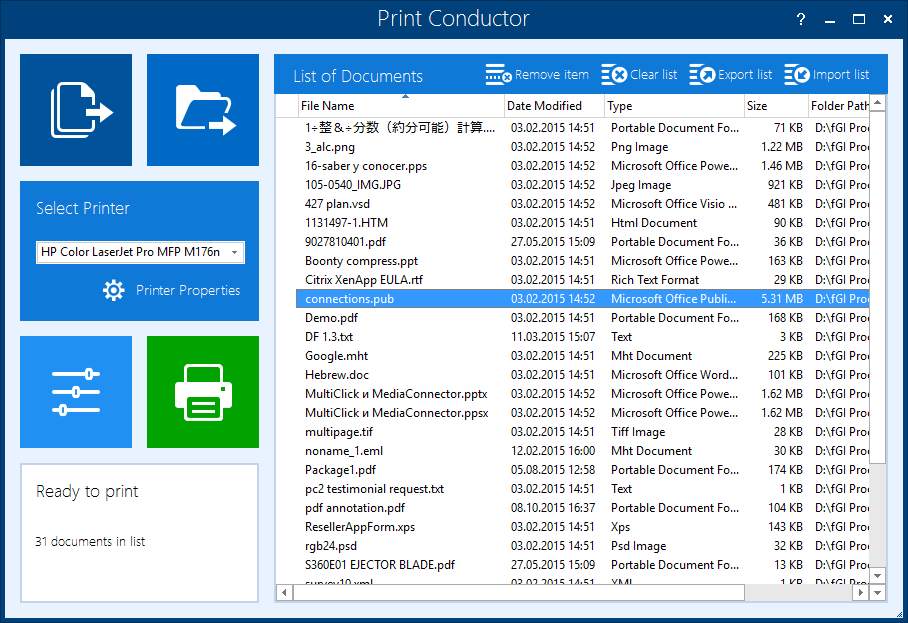
Version 4.9 (September 14, 2015)
- Added support for WordPerfect WPD format
- Added ability to rearrange files in the print list
- Improved PDF printing engine
- Fixed uncollated documents printing issue
- Fixed password-protected documents printing issue
Version 4.8 (June 4, 2015)
- Added support for EML, PostScript, EPS, DWF and DWFX formats
- Improved algorithm for loading and saving print settings
- Improved module for printing HTML and MHT files
- Improved module for printing OpenOffice ODF, ODG, ODS, ODP and ODF files
Version 4.7 (March 19, 2015)
- Added support for Adobe PSD and WMF formats
- Improved PDF printing engine
- Improved open-source API for developers
Version 4.6 (January 21, 2015)
- Added support for MHT, HTM and HTML formats
- Added support for Autodesk Inventor drawings (IDW, IPT, IAM and IPN formats)
- Improved printing of DOC files
Version 4.5 (November 28, 2014)
- Added support for PowerPoint PPS, PPSX and Java formats
- Localization to Slovenian language
Version 4.4 (October 29, 2014)
- Added support for XML, AutoCAD and SolidWorks formats
- Added support for CAD formats: EPRT, EPRTX, EASM, EASMX, EDRW, EDRWX, SLDPRT, SLDASM, SLDDRW, PRTDOT, ASMDOT, DRWDOT, 3DXML, STL, CALS, PRT, XPR, ASM and XAS
- Added support for WPC and SNP formats
Version 4.3 (August 20, 2014)
- Added support for Outlook MSG format (e-mails and attachments)
- Other fixes and improvements
Version 4.2 (June 16, 2014)
- New and improved HTML printing engine
- Added new Сollation options
- New localization languages: Arabic and Czech
- Other improvements and fixes
Version 4.1 (April 7, 2014)
- Redesigned settings panel
- Cover page for separation of printed documents
- Printing one or several copies of a document
- Printing all or a range of pages
- Added collation of documents Added support for HTML and HTM format via Microsoft Word
- Printing PDF files via Adobe Acrobat, Adobe Reader or internal printing engine
Version 4.0 (February 10, 2014)
- Added support for Microsoft Publisher (*.PUB) format
- Added support for SVG (*.SVG) format
- Added support for OpenOffice (*.ODT, *.ODS, *.ODP, *.ODG, *.ODF) format
- OpenOffice API
Version 3.2 (December 21, 2013)
- Added support for XPS format
- Open-source API for developers
Version 3.1 (November 21, 2013)
- New and improved PDF printing engine
- Improved printing engine for image files
- New localization languages: German, Japanese, Russian, Italian, Spanish and French
Version 3.0 (August 5, 2013)
- Added support for image files: JPEG, TIFF, PNG, GIF, Bitmap, PCX, and DCX
- Added support for .DOC files created by WordPerfect
- Sorting documents in the print list by date and time of creation
Version 2.1 (June 4, 2013)
- Added support for network and virtual printers
- Other improvements and fixes
Version 2.0 (April 15, 2013)
- Redesigned Graphical User Interface
- Added support for office software and CAD tools
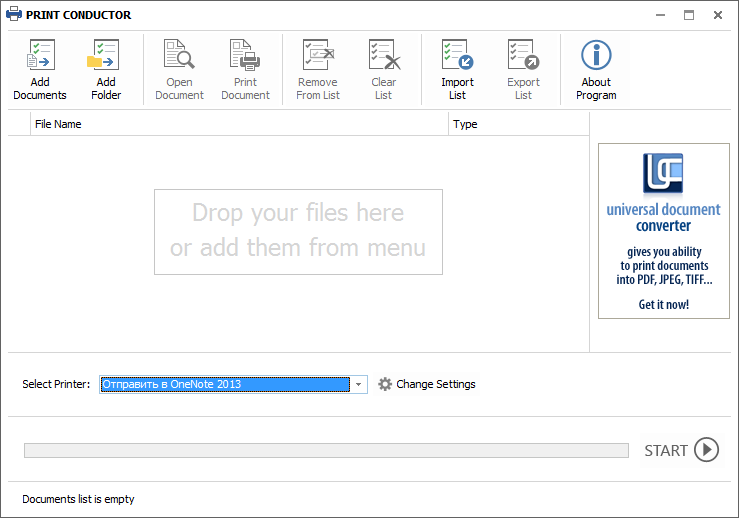
Version 1.0 (November 18, 2007)
- First public version of Print Conductor
- Added support for Adobe PDF, Microsoft Word DOC, Microsoft Excel XLS, Autodesk AutoCAD DWG, Microsoft PowerPoint PPT formats